Welcome to
the Smappee Academy
Log in or create an account and take our free online courses to
become an expert in Smappee product sales, installation, and aftercare.
Looking for live training sessions?
Find the calendar here.
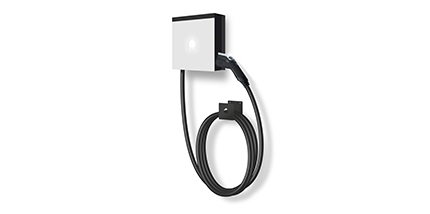
This course provides a step-by-step guide to installing and configuring the Smappee EV Wall designed for the North American market. You’ll learn how to prepare the site, complete the installation, and ensure the system is ready for smart charging capabilities.
You’ll learn how to:
- Prepare the installation site and wiring according to North American standards.
- Install and configure the EV Wall using Smappee’s recommended procedures.
- Transfer the installation to the customer, ensuring proper documentation and user readiness.
- Add Smart Charging features to the EV Wall setup, enabling dynamic load balancing and energy optimization.
Serial number starting with 622xxxxxxx
How to install EV Wall Home and configure it for smart charging.
In this course you’ll learn:
- To prepare the site and wiring
- Installation and configuration of the EV Wall Home
- How to deal with 3P Star and Delta installations
Important: this installation procedure is only for EV Wall Home units with a serial number starting with 622xxxxxxx. If you install a unit with a serial number starting with 62xxxxxxxx, refer to the other EV Wall Home installation course.
How to install EV Wall Home and configure it for smart charging.
In this course you’ll learn:
- To prepare the site and wiring
- Installation and configuration of the EV Wall Home
- How to deal with 3P Star and Delta installations
Numéro de série commençant par 622xxxxxxx
Comment installer EV Wall Home et le configurer pour une recharge intelligente.
Dans ce cours, vous apprendrez :
- Préparer le site et le câblage
- Installation et configuration de l'EV Wall Home
- Comment gérer les installations 3P Star et Delta
Important : cette procédure d'installation concerne uniquement les unités EV Wall Home dont le numéro de série commence par 622xxxxxxx. Si vous installez une unité dont le numéro de série commence par 62xxxxxxxx, reportez-vous à l'autre cours d'installation EV Wall Home.
Comment installer l'EV Wall Home et le configurer pour la recharge intelligente.
Dans ce cours, vous apprendrez à :
- Préparer le site et le câblage
- Installer et configurer l'EV Wall Home
- Comment gérer les installations triphasées en étoile et triangle ?
Hoe EV Wall Home te installeren en configureren voor slim opladen.
In deze cursus leer je:
- Om de site en bedrading voor te bereiden
- Installatie en configuratie van de EV Wall Home
- Hoe om te gaan met 3P Star- en Delta-installaties
Seriennummer beginnt mit 622xxxxxxx
So installieren Sie EV Wall Home und konfigurieren es für intelligentes Laden.
In diesem Kurs lernen Sie:
- Vorbereitung des Standorts und der Verkabelung
- Installation und Konfiguration des EV Wall Home
- Umgang mit 3P Star- und Delta-Installationen
Wichtig: Dieses Installationsverfahren gilt nur für EV Wall Home-Geräte mit einer Seriennummer, die mit 622xxxxxxx beginnt. Wenn Sie ein Gerät mit einer Seriennummer installieren, die mit 62xxxxxxxx beginnt, lesen Sie den anderen EV Wall Home-Installationskurs.
This learning path is designed for professionals who want to master the installation and smart configuration of the Smappee EV Wall, specific for the North American market.
It combines practical steps with advanced energy management concepts, ensuring you can deliver safe, efficient, and future-ready charging solutions.
- Learn the essential safety guidelines and prerequisites for installing the EV Wall North America.
- Understand the components included in the EV Wall package, from mounting plates to charge cards.
- Follow a step-by-step guide to physically install the charger, connect power cables, and secure the housing.
- Activate the device using the Smappee App, ensuring proper connectivity via Ethernet or Wi-Fi for remote management.
- Explore two approaches to smart charging:
- Pre-installation of Infinity: Ideal when smart charging or multiple stations are required from the start.
- Retrofit SmartUp/Infinity: Perfect for upgrading existing installations to enable dynamic load balancing and solar integration.
- Learn how to configure Infinity in the distribution panel, activate it via the Smappee App, and link the EV Wall to the Infinity location.